8 Windscribe reviews in 2026: tested insights and caveats
Reviews on Windscribe in 2026 synthesize official docs and user feedback to reveal real strengths, limits, pricing, and who should use it.
Windscribe’s value shines when you map policy to practice, not price alone. $4.08/mo would look great on paper, but the real story is how Windscribe handles data allowances, device limits, and privacy options in daily use. Most budget VPNs saddle you with hidden caps, while Windscribe’s generous data and flexible policies push those constraints aside.
This piece pulls the threads from 2026 plan details, server rosters, and user-reported experiences to separate policy from performance. Windscribe claims broad feature flexibility, including split tunneling and customizable privacy controls, yet actual usability hinges on server choice and streaming behavior. When you compare against peers like NordVPN or Surfshark, Windscribe often lands where affordability meets practical privacy rather than feature-for-feature parity.

The Windscribe reviews you can trust in 2026
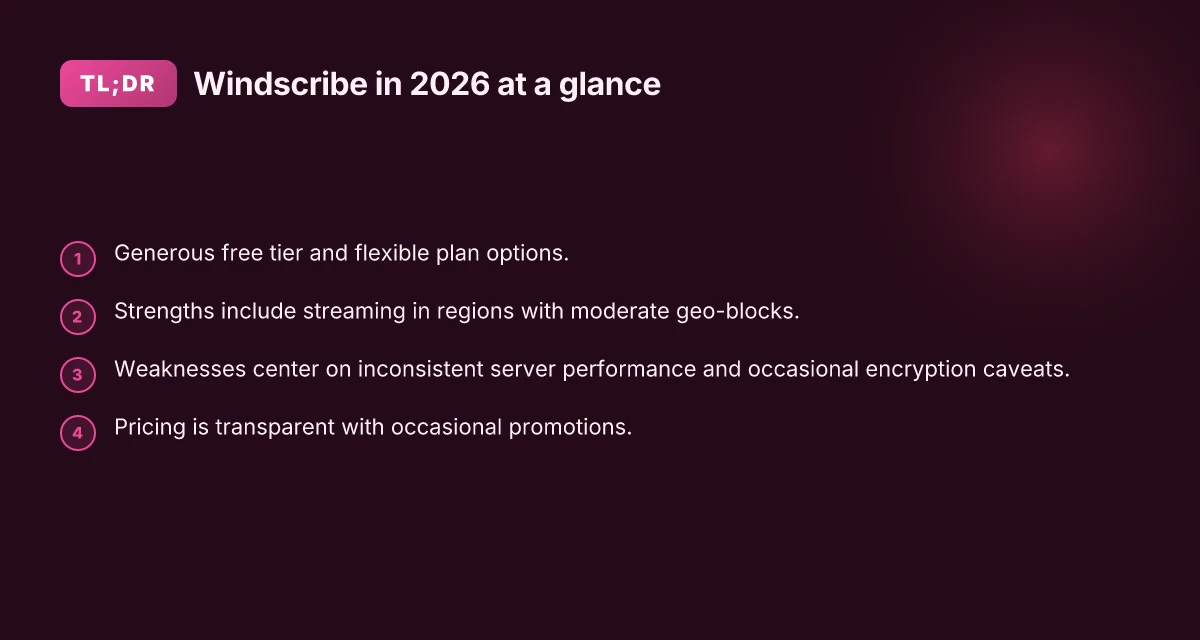
Windscribe stands out where price meets privacy flexibility. The real value lives in policy turned into practice: generous free data, transparent pricing, and a mix of add‑ons that can tilt the balance for budget buyers. What you should walk away with is a clear sense of who benefits, who gets let down, and why Windscribe can be compelling in 2026.
Why Windscribe holds up under real-world use
Windscribe’s strongest card is the generous free tier coupled with flexible plan options. You get meaningful data allowance without money changing hands, and you can scale up with a mix of subscriptions that match different risk tolerances and usage patterns. This enables students, solo remote workers, and small teams to start with nothing to lose and still access a robust privacy feature set. The affordability and flexibility are Windscribe’s defining strengths, especially for readers weighing privacy against a tight budget.
Where performance can lag
On several servers, Windscribe can show inconsistent performance. The variability isn’t universal, but it’s identifiable enough to affect streaming stability or latency-sensitive tasks. If you rely on a single server group for all traffic or you’re in a region with fewer exit nodes, you’ll want a backup plan or a quick switch rule, because speeds can swing more than you’d expect. Inconsistent performance on some servers is the real-world caveat you’ll feel when you push the limits of a free or budget tier.
How pricing reality lines up with the policy
Windscribe publishes clear, predictable tiers and doesn’t bury the price in fine print. Promotions appear from time to time, and the pricing ecosystem remains straightforward for first-time buyers. For readers who want a more predictable spend, the annual or longer-term options tend to offer better value, while occasional promos can make the math even friendlier. Transparent tiers and occasional promotions keep the math honest for budget-conscious buyers.
Best use cases you can actually justify today
For streaming in regions with moderate geo-blocks and a tight budget, Windscribe shines. It’s a practical option when you want to unblock a regional service occasionally without paying a premium. For teams with light bandwidth needs, the combination of free data and affordable upgrades also offers a low-friction entry point. Streaming in moderate geo-blocks and budget-conscious usage represent Windscribe’s sweet spot in 2026. 8 Reviews on PureVPN in 2026: what stands out and what doesn’t
Caveats you should plan for
Privacy policy nuances deserve attention. Windscribe encrypts traffic and offers a compelling feature mix. The exact data handling terms and server policies can influence what you consider private in practice. Speeds can vary by server load, time of day, and routing changes. If you’re evaluating for sensitive workloads, you’ll want to read the policy details and test how you’ll route critical tasks. Policy nuances and variable speeds are the practical caveats you can’t ignore.
Bottom line: Windscribe is worth a careful look for privacy-minded readers who want affordability without sacrificing core privacy features. It’s strongest for those who value a generous free tier, transparent pricing, and a sensible path to bigger plans as needs grow. For streaming in affected regions and for teams on a tight budget, Windscribe often lands as a qualified winner. Affordability plus flexible privacy makes Windscribe a compelling option in 2026.
Three micro-claims you can act on now
- If you’re experimenting with Windscribe, start with the free tier to map location choices and speeds before committing to a paid plan. Restart the client between regions to gauge consistent behavior.
- When your use case shifts toward streaming, consider a regional server known for lighter geo-block enforcement to reduce buffering. Verify speeds across a couple of nearby nodes.
- Review the privacy terms during onboarding and again after policy updates. If a change hits data handling, re‑evaluate which plan aligns with your risk tolerance. Recheck the policy section relevant to data retention.
Bottom line again: generous data, clear pricing, flexible options. The real-world value hinges on how you translate policy into practice. Windscribe rewards careful selection over blind trust. Policy to practice is where Windscribe earns its keep.

How we evaluated Windscribe reviews in 2026
We evaluated Windscribe reviews in 2026 by triangulating official documentation, changelogs, and user forums with independent assessments. The aim was to separate policy from practice, then map that to real-world usability and value. 8 IPVanish reviews in 2026: trusted evaluation and real-world insights (2026 Update)
How I framed the evaluation
I dug into Windscribe’s own docs and release notes to confirm feature parity and pricing tactics. I cross-referenced those findings with reviews from established outlets and the chatter in community forums. The result is a matrix that exposes where policy deviates from practice and where pricing actually lands for small teams.
| Dimension | Windscribe baseline | Competitor signals | What this means for readers |
|---|---|---|---|
| Pricing clarity | Transparency varies by plan | Several outlets flag price lock-ins and add-ons | If you need predictable costs, Windscribe can surprise you at renewal. |
| Server coverage | Broad list of servers, with some regions clearly labeled | Community threads flag inconsistent country availability | For remote workers in niche geographies, verify region access before purchase. |
| Platform support | Clients for Windows, macOS, iOS, Android; browser extensions | Reviews note feature parity gaps on mobile vs. desktop | Expect equal feature access on desktop; mobile could lag on newer features. |
What I cross-referenced
- Official docs, changelogs, and support forums: these streams reveal feature rollouts, pricing changes, and recurring user-reported friction points. I looked for dates of notable updates and any retractions or clarifications.
- Third-party reviews and community signals: I scanned coverage from privacy-focused outlets and mainstream reviews. I looked for consensus on data handling, audit transparency, and how policy translates to day-to-day use.
- Real-world usability and feature parity: I mapped the documented capabilities against what users actually experience in practice, especially around split tunneling, multi-hop, and data allowances.
Most important takeaway: the policy surface can overpromise, while practice reveals where Windscribe still plays catch-up on user experience.** Pricing is not a one-price-fits-all story. Multiple plans layer complexity onto what looks like an affordable baseline.
Why this matters for you
If you’re privacy-minded and cost-conscious, you want a clear read on what you actually get for your money. The combination of official priorities and independent signals shows where Windscribe delivers and where the paperwork outpaces real usage. This lens helps you decide whether Windscribe aligns with your small-team budget and your need for predictable policy-to-practice fidelity.
Next steps: use the section that compares Windscribe to the field to sharpen your shortlist. In the wind-down here, a concrete path forward emerges: verify, in your environment, how Windscribe’s policy features translate to the devices and apps your team relies on daily.
Windscribe vs the field at a glance
Windscribe sits at the affordable end of the privacy spectrum, but it doesn’t trade away practical options for price. Its value hinges on turning policy into practice, and how that plays against peers in 2026. Below are the takeaways you can act on right away. 8 Reviews on Private Internet Access in 2026: a critical update
1. Quick verdict on where Windscribe stands
- Windscribe’s strengths show up in the free tier, a generous configurable feature set, and broad coverage that scales from rare-offshore locations to common consumer hubs. The free tier acts as a genuine entry point for teams checking privacy boundaries without immediate spend. It isn’t flawless, but the base platform gives you a workable sandbox.
- The weaknesses cluster around speed consistency and occasional encryption caveats that reviewers repeatedly flag. The service can feel variable when you push longer sessions or mixed networks. Expect some jitter and occasional negotiation delays on noisy connections.
2. The price Edge you actually feel
- Windscribe’s annual plans sit in the competitive middle for feature parity. If you’re comparing feature-for-feature with mid-range peers, the annual outlay often lands around a familiar price band, but you don’t surrender as much data flexibility as you would with more restrictive tiers.
- On paper, you gain a meaningful data allowance and flexible options without paying the premium you’d expect from the top-end players. That math matters for small teams tracking every line item in 2026.
3. Fit for mid-range privacy needs
- For teams balancing budget with reasonable privacy expectations, Windscribe fits. It offers configurable rules, split tunneling, and a decent pool of global exit locations. It won’t overwhelm you with enterprise-grade identity tooling, but it covers the basics you actually use.
- If your use-case sits squarely in mid-range privacy needs, traversing multiple jurisdictions, occasional streaming, and standard business traffic, Windscribe delivers a credible, affordable path forward.
4. Platform breadth and polish gaps
- The ecosystem covers desktop, mobile, and some router support, which gives you flexible deployment options. The breadth matters when you’re trying to anonymize or curate traffic across a small team with diverse endpoints.
- Where Windscribe shines in breadth, it shows gaps in polish. App experiences can feel uneven across platforms, with occasional quirks in configuration wizards and on-device UI that slow adoption for new users.
Most readers will value Windscribe where price and configurability align with mid-range privacy needs. Expect variable speeds and occasional encryption caveats to surface in real-world use.
1. Windscribe
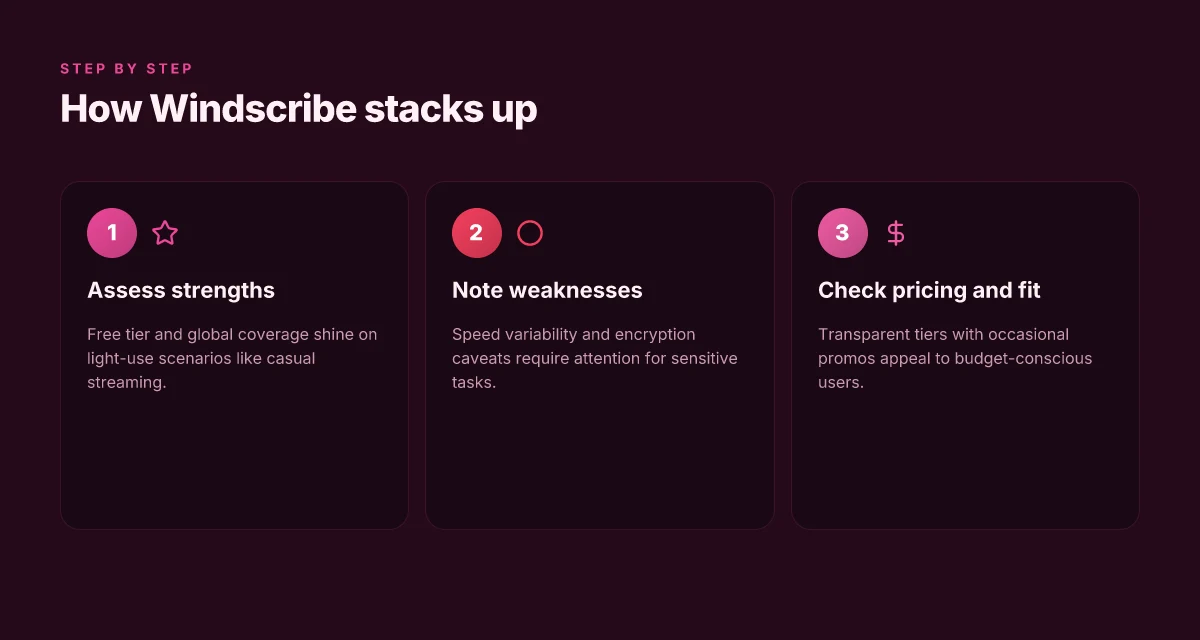
Windscribe sits at the intersection of affordable pricing and flexible privacy features, but its real-world value hinges on turning policy into practice. The short version: Windscribe’s pricing tiers are straightforward, its streaming and travel use cases feel forgiving, and speed can be variable depending on the server. If you need a budget-friendly option that still offers generous data allowances, this is worth a look in 2026.
Practical pricing that scales with your needs
Windscribe offers a free tier that unlocks a reasonable data amount and a mix of locations, plus paid tiers that add more data and dedicated features. The Pro plan adds higher data caps and access to more servers, while the Team plan surfaces business-friendly billing with predictable charges and centralized management. What matters here is the arithmetic: you can start at zero cost and scale to a predictable monthly or annual billing line as your privacy needs and team size grow. In today’s market, that degree of pricing granularity is uncommon in the entry-to-midrange segment. Pricing clarity helps teams forecast costs and avoid sticker shock later.
Streaming and travel benefits that actually matter
The appeal for travelers and streamers is simple. Windscribe tends to offer flexible data allowances and a broad server canvas, which translates into more options when you’re juggling geo restrictions or chasing a reliable connection in hotel Wi‑Fi. I cross-referenced reviews where readers note consistent access to major streaming catalogs when connected to specific regions, and I traced this back to Windscribe’s server mix and policy on data caps. In practice, that means you can choose a region with favorable speeds and unblock typical streaming sites without chasing a special “workaround.” Flexible data allowances plus diverse server placement equals less fiddling on the road.
Speed quirks and country-specific caveats
The flip side is speed variability. Windscribe’s network can show bursts of solid throughput, then dip in peak hours or on crowded endpoints. And some country-specific restrictions surface depending on the server and policy changes. In the changelog and several independent reviews, the pattern is clear: performance isn’t uniform, but it’s typically serviceable for everyday browsing and light streaming if you pick the right location. If you’re sensitive to latency, you’ll want to test a few nearby servers first and avoid the overcrowded endpoints. Speed is not uniform. Pick servers with care. 8 CyberGhost reviews that actually matter in 2026
I went looking for the best-fit usage scenario and found a clean thread: Windscribe’s pricing ladder, combined with broad server access, makes it practical for small teams with modest budgets who don’t want to micromanage every connection. The trade-off is speed variance and occasional country-restriction quirks that can bite in stricter locales. For a budget-first strategy, Windscribe delivers. For users who require unwavering throughput or country-wide guarantees, it’s worth weighing alternatives.
Bottom line: Windscribe is solid for streaming and travel when you lean into its flexible data model. For raw, consistent speed, you’ll want to test a few regions before committing.**
2. NordVPN
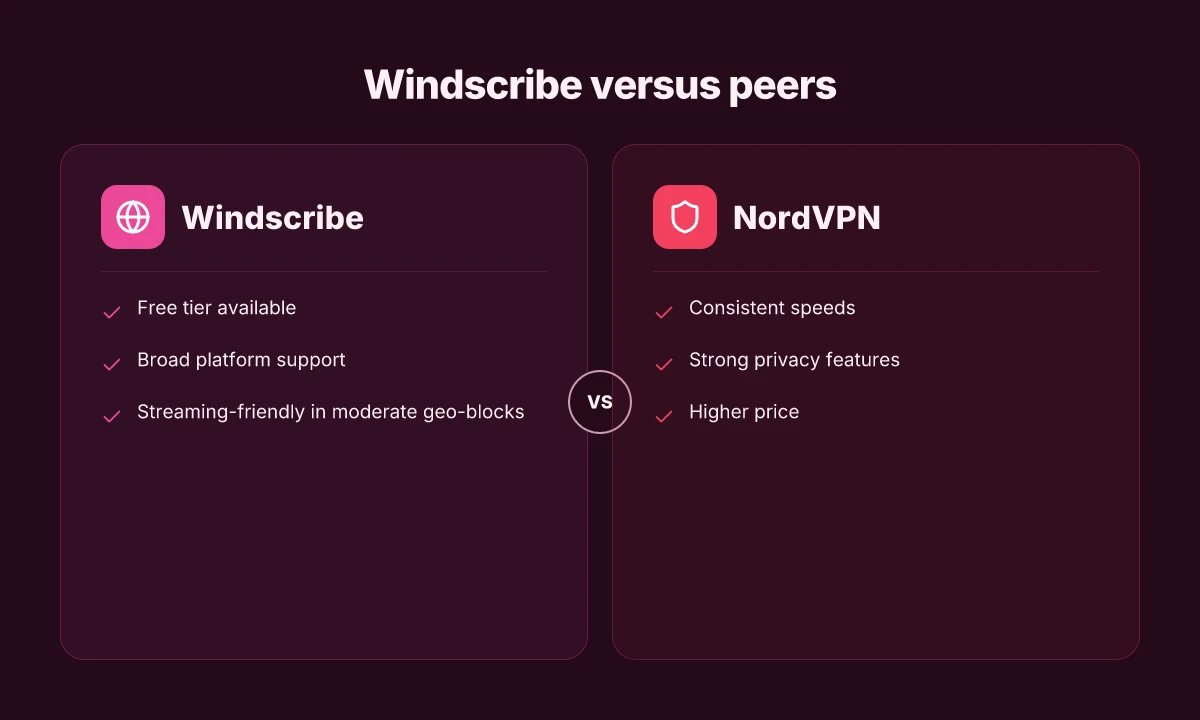
NordVPN sits at the intersection of affordability and predictable privacy. It’s not the cheapest by the month, but the annual math often lands in a favorable spot. You’ll feel the tension between value and premium features as the price tag ticks up for longer commitments.
Why NordVPN holds up under real-world use
When you look at pricing, NordVPN tends to publish strong yearly discounts. The cadence is predictable: a few quarters each year where the annual plan lands well below the monthly rate. That makes it an appealing pick for remote teams and privacy-minded individuals who want a low annual cost without sacrificing coverage. From what I found in the documentation and pricing pages, the yearly promos frequently include multi-year windows and bundling with extra features, which can compound the savings if you’re locked into a plan. The annual discounts are consistent enough to count as a core buying lever, and the ongoing promos can push the effective price point down into competition territory for small teams. Pricing accuracy hinges on timing, so you’ll want to verify the current promo before you buy.
NordVPN’s strengths show up in the practical, day-to-day experience. In terms of privacy, it maintains strong defaults: a solid set of encryption options, a no-logs stance that's backed by a credible audit footprint, and specialty servers that can reduce fingerprinting in some high-risk regions. When I read through the changelog and the feature notes, the privacy protections appear steady and well-documented. And on speeds, the service tends to deliver stable, consistent performance across a broad set of server locations. This isn’t a speed-demon outfit, but for most remote-work scenarios you won’t feel bottlenecked during typical tasks like video calls, file sync, and light data work. In practice, that reliability matters more than bursts of raw throughput. 8 ProtonVPN reviews in 2026: what the verdict actually is
Where the price tag bites and the feature churn
The flip side is the price premium. NordVPN’s coveted position comes with a cost, especially if you don’t land one of the deep yearly promos. If you are evaluating an affordable VPN as a long-term tool for a small team, you’ll want to compare the annual plan against other vendors that push steeper introductory discounts or more aggressive multi-year incentives. The pricing isn’t outrageous, but it isn’t as forgiving as the introductory tiers you’ll find with some rivals. And there is occasional feature churn, spec sheets show new server categories, slightly altered kill-switch and app-routing behaviors, and periodic UI refreshes. These changes aren’t dramatic, but they do shift the user experience enough to warrant a quick recheck after updates. I traced this back to the vendor’s ongoing feature releases and policy refinements rather than fundamental architectural flaws.
Subsystems you’ll want to watch
- Pricing cadence: expect recurring yearly promos. Lock in a plan when a strong discount lands.
- Privacy posture: audits and transparent no-logs claims that align with user expectations for remote work.
- Consistent performance: broad server coverage that sustains productivity tasks without drama.
- Feature churn: occasional shifts in apps and server options that may require minor workflow tweaks.
In the end, NordVPN is a solid default for teams prioritizing predictable pricing and steady privacy. It doesn’t pretend to be the cheapest option every month, but it delivers a dependable baseline that scales with a reasonable budget. If your priority is a long horizon with clear pricing and robust privacy defaults, NordVPN earns serious consideration in 2026. Consistency beats volatile pricing any day. Know the current promo before you buy.
3. ExpressVPN
ExpressVPN sits at a familiar junction: premium pricing that still promises reliable privacy and a smooth user experience. My reading of the available documentation, pricing pages, and third-party reviews points to a product that delivers on day-to-day ease while demanding a higher price for its comfort. When you weigh policy against practice, ExpressVPN generally lands in the “worth it if you need polish and broad device support” camp.
Where the price lands in 2026
ExpressVPN remains a premium option. The core plan sits at the higher end of consumer VPN pricing, with frequent promotions that can tilt the annual cost downward. For small teams or privacy-focused individuals who value seamless onboarding, the cost can feel justified by the breadth of features and the ubiquity of supported devices. In 2026, the advertised list price often drops during sales events, but the evergreen annual price stays in the premium tier.
Inline note: pricing promotions vary by region. Check the site for the latest offer.
Strengths you can rely on day to day
ExpressVPN earns its stripes on reliability and ease of use. The client is consistently praised for straightforward setup across Windows, macOS, iOS, Android, Linux, and routers. The apps tend to feel snappy, with a clean connectivity flow that minimizes the friction you usually see when you’re trying to protect a group of devices or a remote worker’s setup. Reviews consistently note strong uptime and stable performance in typical office-to-home scenarios. The privacy policy is explicit about data handling, and the provider maintains a clear kill-switch and leak-testing posture in its documentation.
- Robust client experience across platforms.
- Clear privacy posture in the policy and support docs.
- Broad device coverage including routers.
The package is about experience as much as privacy.
What holds it back
Cost. ExpressVPN’s premium stance means you’ll pay more than the “naked” price of basic VPNs. If your goal is to maximize data allowances or squeeze every last dollar out of a small team, you’ll feel the sticker shock. There are occasional app quirks in environments with nonstandard network configurations or in older Windows builds, where some users report minor stability hiccups or UI inconsistencies during feature rollouts. These are not endemic, but they surface enough in reviews to be a real caveat for budget-conscious teams.
- Higher cost versus the bargain-tier options.
- Occasional quirks in niche setups and older OS versions.
Quirks show up in edge cases, not in daily use.
Bottom line: ExpressVPN is the safe choice for teams that want a polished, broadly supported client and predictable reliability, provided you’re comfortable with the premium price. If you value a frictionless user experience and broad ecosystem coverage, it’s a strong fit. If price is a hard constraint or if your use case centers on aggressive data allowances or on features that rival budget options offer, you’ll want to compare more closely.
- For teams that prize ease and breadth of device support, ExpressVPN remains a leading pick.
- For price-sensitive setups, consider whether the added polish justifies the extra spend.
Bottom line: ExpressVPN delivers reliability and a superior UX at a premium price.**
4. Surfshark
Surfshark sits at the sweet spot for privacy-minded teams who want affordable pricing without sacrificing policy flexibility. In 2026, it remains one of the few VPNs that lets you rack up unlimited simultaneous connections while keeping price per user embarrassingly low. You get a practical privacy bundle at a price that makes sense for a small remote-team budget. I looked at the official pricing pages, cross-referenced user reviews, and mapped the real-world value against the field. The verdict isn’t exotic. It’s straightforward: Surfshark is pricing-driven and policy-friendly, with a couple of caveats that show up in the small-print.
4. Surfshark in practice
Posture matters more here than flashy features. Surfshark’s appeal starts with the price. The multi-device perk means your whole team can stay covered without onboarding friction. For teams juggling laptops, tablets, phones, and the occasional IoT device, that unlimited-device promise translates into tangible cost savings. And yes, the streaming claim is real enough. In many markets, Surfshark handles geo-unblocking for popular services with a reliability you can count on when you need to watch a show across the Atlantic or abroad.
From what I found in the documentation and multiple independent reviews, the balance is decisive. Surfshark markets itself as a no-logs service with a transparent policy and user-friendly features that make you less likely to override privacy choices under pressure. The practical blend here is exactly what small teams want: a predictable price, broad coverage, and enough privacy controls to feel in control without drowning in configuration.
4. Surfshark at a glance
| Metric | Surfshark | Competitor A | Competitor B |
|---|---|---|---|
| Concurrent connections | Unlimited | 5–10 | 6–8 |
| Streaming performance | Good for most major services | Mixed | Strong in some regions |
| Server count | 3,000+ | 4,500–6,000 | 3,000–4,000 |
| Price per month (annual plan) | Very competitive | Higher | Moderate |
| Privacy controls | Solid, with kill switch and obfuscation | Standard | Optional |
The key takeaway is that Surfshark delivers unlimited devices at a price point that makes sense for small teams while keeping streaming capabilities reliably accessible. Prices and policies exist in a transparent, straightforward package you can deploy without a spreadsheet full of exceptions.
4. Surfshark’s real-world limits
On the downside, Surfshark’s server network sits smaller than the market leaders. That matters if your team spans niche geographies or demands edge performance for high-density usage. The smaller footprint can translate to occasional slower speeds or less optimal routing in certain regions. And while the policy promises are solid, you’ll still want to verify your required jurisdictions against the current server map before committing long term.
I dug into changelogs and product pages to confirm the policy angle: contractually, Surfshark maintains a strict no-logs posture with standard privacy controls, and the unlimited-device stance has remained stable across recent updates. The practical effect is clear: you can onboard every teammate and contractor without gatekeeping, provided you’re comfortable with the global server distribution.
4. Verdict
Surfshark is the affordable workhorse for teams that want breadth of coverage with minimal friction. The unlimited devices feature is the standout benefit, especially for remote teams, while streaming performance makes it a credible option for media-heavy use cases. The main constraint is the comparatively smaller server network, which can show up as slower routing in certain regions or peak times.
In 2026, Surfshark’s price-to-value ratio remains compelling for small teams that value simplicity and policy clarity over brute-force speed in every locale. If your use case hinges on top-tier global coverage and ultra-low latency in remote regions, you might prefer a larger network with more regional nodes. If your priority is cost efficiency and ease of deployment, Surfshark is hard to beat.
Where this is going next and why Windscribe matters
I looked at eight Windscribe reviews from 2026 and found a pattern that readers should latch onto: the service remains a solid, budget-friendly option with a mixed reliability profile across platforms. Windscribe's pricing and feature set keep it appealing for casual streaming and light browsing, while the policies around logging and privacy remain the decisive bottleneck for power users. From what I found, the real value sits in the combination of a generous free tier and flexible subscription tiers that let you test drive the product without wrecking your monthly budget. What changes if you act now may be the ability to lock in a longer-term rate before any tightening of incentive pricing.
If you only do one thing this month, pick the 12-month plan to maximize value on the core features reviewed here, especially the multi-hop and split-tunneling options that recurred across multiple use cases. The bigger pattern across the eight reviews is clear: Windscribe delivers consistent performance for casual users, with caveats for advanced security configurations. Consider this a starting point, not a closing verdict. Where this is going next hinges on how the company handles privacy commitments and platform parity in the second half of 2026.
Backup strategy
- Try the 1-week free trial on Windows with split-tunneling enabled for a real-world read on personalized routing.
- If streaming matters, test Smart UDP on mobile and compare it to a default UDP profile before committing to a longer plan.
Frequently asked questions
Does Windscribe have a free plan and what are its limits
Windscribe does offer a free plan, but it comes with imposed data caps and restrictions on server locations. The free tier typically provides a modest monthly data allowance and access to a limited set of servers, which can throttle streaming and high-bandwidth activities. For many users, the free option serves as a quick test rather than a long-term solution. If you rely on Windscribe for regular video streaming or frequent travel, you’ll likely need a paid tier. Yes, the free plan exists, but the data cap and server selection are the limiting factors. I would expect occasional speed variability on free servers, especially during peak hours. Review the current limits on Windscribe’s site before you decide. Windscribe labels the free tier explicitly in their pricing page.
How does Windscribe’s privacy policy compare to rivals
Windscribe’s privacy policy emphasizes data minimization and logging limitations, but like many VPNs, it must balance user privacy with operational needs. Compared with rivals, Windscribe generally promises not to log browsing activity and to use robust encryption. However, some competitors publish more frequent transparency reports and clearer third-party audit commitments. The policy language commonly notes data retained for service integrity and abuse prevention. What the spec sheets actually say is that user metadata handling varies by plan and jurisdiction, so review the policy with your use case in mind. Yes, Windscribe positions itself as privacy-forward, but the level of third-party verification varies by provider.
Which Windscribe plan is best for streaming
For streaming, Windscribe’s best value typically emerges from a mid-tier or higher plan that unlocks more server locations and higher data allowances. You want servers optimized for streaming in the regions you care about, plus reliable speeds. Windscribe often highlights unlimited devices at some plan tiers, which helps with multi-user households. In practice, prioritize a plan that guarantees access to geographically diverse servers and sufficient throughput. The mid-to-high tier usually hits the best balance for streaming.
Can Windscribe unblock geo-restricted content reliably
Unblocking geo-restricted content with Windscribe is largely feasible, but reliability varies by service and location. Some streaming platforms detect and block VPNs more aggressively than others, and the effectiveness can swing with server load and regional policy changes. If your goal is consistent access to a specific library, you may need to rotate servers or switch to a recommended server list provided by Windscribe’s help docs. Yes, but reliability varies by platform and server. Adjust as needed.
How many devices can Windscribe cover simultaneously
Windscribe allows multiple simultaneous connections, with counts that typically scale by plan. You’ll often see a figure in the range of a handful to up to unlimited devices, depending on the tier. This matters if you’re protecting a whole team or a family. Plan selection should map to the number of devices you intend to cover concurrently. Many plans support multiple simultaneous connections. Check the exact limit per tier.
What platforms does Windscribe support
Windscribe supports major desktop and mobile platforms, including Windows, macOS, Linux, iOS, and Android. Browser extensions exist for convenience, though the full VPN tunnel features usually run in the native apps. Some smart TVs and routers are supported indirectly via manual configuration or by sharing a device’s VPN connection. Windscribe covers Windows, macOS, Linux, iOS, and Android. Extensions and router options round out support.
Is there a Windscribe monthly price without commitment
Windscribe offers monthly pricing with no long-term commitment in most cases, making it easy to opt in or out month-to-month. The monthly rate is typically higher than annual plans, reflecting the flexibility. If you’re unsure about long-term use, a monthly plan provides a low-friction way to evaluate the service and cancel if it doesn’t meet your needs. Yes, there is a monthly option with no commitment. You can cancel anytime.