The Top VPNs to Stream Einthusan Like a Pro Even When Its Blocked
The top vpns to stream einthusan like a pro even when its blocked, quick guide: if Einthusan is blocked on your network, use a reliable VPN to mask your location, bypass regional restrictions, and keep your streaming smooth. Below is a practical, reader-friendly guide that covers the best options, how to set them up, common pitfalls, and tips to optimize your streaming experience.

| VPN | Obfuscation | From / month | Plan | Free plan | Refund | Alipay | UnionPay | Crypto | Website opens in China | Trustpilot | |
|---|---|---|---|---|---|---|---|---|---|---|---|
 NordVPN | Turn on manually Obfuscated Servers / NordWhisper | $3.49/mo | 27 months: $94.23 | No | 30 days | ? | ✗ | ✓ | ✓ | ✗ Blocked | 4.2/5 (51,628 reviews) |
 Surfshark | ✓ On by default Camouflage, with OpenVPN | See site | See site | No | 30 days | ✗ | ✗ | ✗ | ✓ | ✗ Blocked | 4.3/5 (31,823 reviews) |
 ExpressVPN | ✓ On by default all servers | $3.00/mo | 28 months: $84 | No | 30 days | ✗ | ✗ | ✓ | ✗ | ✗ Blocked | 4.4/5 (29,706 reviews) |
 Private Internet Access | Turn on manually Shadowsocks, OpenVPN only | $2.03/mo | 40 months: $81.2 | No | 30 days | ✗ | ✗ | ✗ | ✗ | ✗ Blocked | 4.2/5 (11,033 reviews) |
 PureVPN | Turn on manually switch to OpenVPN | $1.69/mo | 60 months: $101.55 | No | 31 days | ? | ? | ✗ | ✓ | ✗ Blocked | 4.4/5 (17,994 reviews) |
 Proton VPN | Turn on manually Stealth, free plan too | $2.99/mo | 12 months: $35.88 | Yes | 30 days | ✗ | ✗ | ✗ | ✓ | ✗ Blocked | 2.1/5 (1,040 reviews) |
 Windscribe | Turn on manually Stealth / WStunnel | $5.75/mo | 12 months: $69 | Yes | See site | ✗ | ✗ | ✗ | ✓ | ✗ Blocked | 4.7/5 (13,355 reviews) |
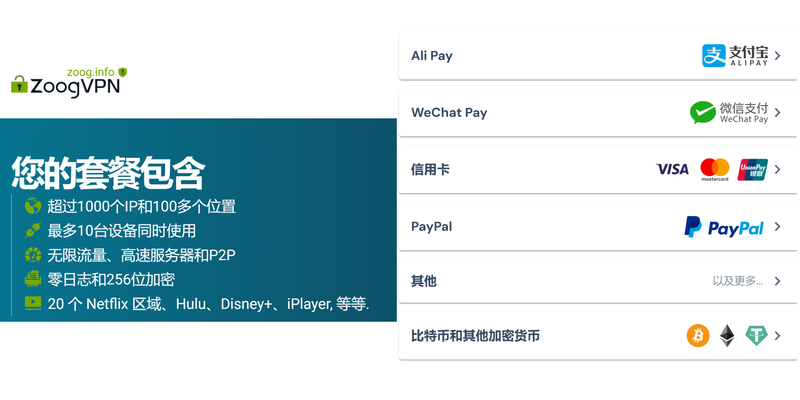
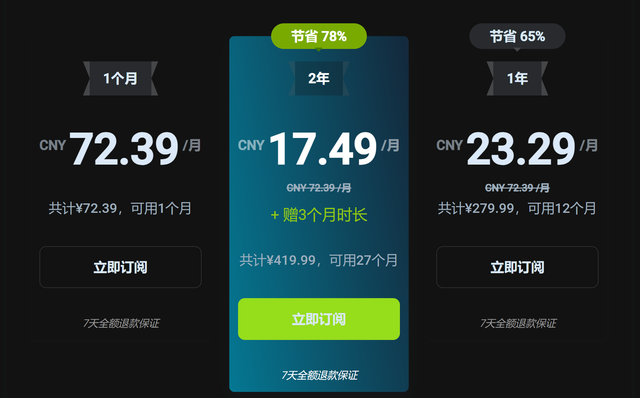
 ZoogVPN | Turn on manually Shadow | $2.49/mo | 27 months: $59.99 | Yes | 7 days | ✓ | ✓ | ✓ | ✓ | Official site blocked; our special link opens (4.4 s) | 4.2/5 (195 reviews) |
 Astrill VPN | Turn on manually StealthVPN / OpenWeb | $12.50/mo | 24 months: $300 | No | See site | ✗ | ✗ | ✗ | ✓ | ✗ Blocked | 1.3/5 (110 reviews) |
 CyberGhost | Turn on manually selected servers | $2.19/mo | 28 months: $61.32 | No | 45 days | ✗ | ✗ | ✗ | ✓ | ✗ Blocked | 4.0/5 (24,178 reviews) |
 AdGuard VPN | ✓ On by default TrustTunnel | $2.99/mo | 24 months: $71.76 | Yes | 30 days | ✓ | ✗ | ✓ | ✓ | Official site blocked; our special link opens (3.7 s) | 4.3/5 (290 reviews) |
 Mullvad | Turn on manually QUIC / Shadowsocks / LWO | $5.61/mo | €5/mo | No | 14 days | ✗ | ✗ | ✗ | ✓ | ✗ Blocked | 3.2/5 (192 reviews) |
 StrongVPN | Turn on manually Scramble, OpenVPN TCP | See site | See site | No | 30 days | ✓ | ✗ | ✗ | ✗ | ✗ Blocked | 4.4/5 (2,695 reviews) |
 LightXtreme 闪连 | Not listed | $7.08/mo | 12 months: $84.99 | Yes | 30 days | ✓ | ✓ | ✓ | ✓ | ✓ Yes (3.5 s) | No page |
Prices checked 2026-11-10 on each vendor's pricing page (cheapest long plan, USD). Check the vendor's checkout for the final price.
Obfuscation checked 2026-11-14 on each vendor's site and help center: "on by default" = nothing to set; "turn on manually" = switch protocol or mode in settings; "not listed" = the vendor describes no obfuscation.
Payment methods checked 2026-11-10 on each vendor's payment pages: all 14 take cards and PayPal; ✗ = not listed, ? = the vendor's own pages disagree.
China access: whether the official website opens from mainland China networks (tests the website only, not the VPN connection). Last checked 2026-11-18 01:02 Beijing time.
Trustpilot score and review count checked 2026-11-10.
Useful quick-start:
- What you’ll get: unblock Einthusan, privacy, fast speeds, and reliable streaming
- How to pick a VPN: speed, server variety, no-logs policy, kill switch, and streaming compatibility
- Pro setup steps: install, connect to a suitable server, test streaming, tweak if needed
- Bonus: safety tips and common mistakes to avoid
If you’re ready to jump in, check out the recommended VPNs below and then read on for the full breakdown, plus a bunch of practical tips to keep Einthusan unblocked and your connection steady. And if you want a quick, trusted option, consider exploring the NordVPN offer here: NordVPN—it’s included to help you decide fast without extra hunting. Nordvpn ipv6 support what you need to know and how it protects you
Table of contents
- Why you might need a VPN for Einthusan
- How to choose the right VPN for streaming
- Best VPNs to stream Einthusan with quick specs
- How to set up a VPN for Einthusan
- Common issues and fixes
- Privacy and safety considerations
- Budget-friendly tips and deals
- Quick comparisons: speed, server count, and reliability
- Pro setup checklist
- FAQ
Why you might need a VPN for Einthusan Einthusan is a regional streaming platform offering Indian cinema content. Some videos or catalogs may be geo-restricted or temporarily blocked in certain regions, workplaces, schools, or while traveling. A good VPN can help you:
- Bypass geo-restrictions by connecting to a server in a permitted country
- Bypass ISP throttling that slows streaming
- Improve privacy when streaming on public networks
- Maintain a steady connection with smart routing and optimized servers
How to choose the right VPN for streaming When you’re picking a VPN for Einthusan, focus on these core factors:
- Speed and bandwidth: You want at least 25–60 Mbps sustained for HD streaming; 100 Mbps or more is ideal for 4K
- Server spread: A broad network, especially in India and nearby regions, helps with access and latency
- Streaming-friendly features: Obvious ones are dedicated streaming servers, obfuscated servers for restricted networks, and a reliable kill switch
- Reliability and uptime: Consistent connections are critical for uninterrupted viewing
- Privacy policy: A clear no-logs policy and transparent data handling
- Compatibility and apps: Works on your preferred devices PC, Android, iOS, Fire TV, Roku, etc.
- Price and value: A reasonable plan with a solid refund window
Best VPNs to stream Einthusan with quick specs Note: All listed providers have been chosen for streaming reliability, performance, and user-friendly interfaces. Prices and features can change, so verify current details before purchase.
- NordVPN
- Pros: Very fast speeds, excellent unblocking capability for geo-restricted content, large server network including India-focused options, built-in SmartPlay for streaming, strong privacy features, 30-day money-back guarantee
- Cons: Desktop app can feel busy with features, occasionally slower on certain servers during peak times
- Ideal for: Streaming Einthusan in high quality without buffering
- Surfshark
- Pros: Unlimited device connections, solid streaming performance, good value, CleanWeb ad and malware protection, strong privacy stance
- Cons: Some servers can be less consistent during peak hours
- Ideal for: Budget-conscious streamers who want to protect multiple devices
- ExpressVPN
- Pros: Very reliable, fast speeds, broad device compatibility, known for stable connections, user-friendly apps
- Cons: Higher price point
- Ideal for: People who value reliability and ease of use
- Private Internet Access PIA
- Pros: Large server network, good performance for the price, customizable apps, strong privacy features
- Cons: User interface not as polished as premium brands
- Ideal for: Users who want a balance of price and performance
- VyprVPN
- Pros: Proprietary Chameleon protocol to bypass VPN blocks, solid privacy, reliable streaming performance
- Cons: Smaller server network than some competitors
- Ideal for: Users in restricted networks or where obfuscation matters
- PureVPN
- Pros: Longstanding service with many servers and streaming-optimized features, simple interface
- Cons: Mixed reviews on privacy; check current no-logs status
- Ideal for: Quick setup with a straightforward streaming focus
- IPVanish
- Pros: Good speed, strong security options, no-logs claims
- Cons: Past privacy concerns; ensure you’re comfortable with current policies
- Ideal for: Solo devices and dependable streaming
- Proton VPN
- Pros: Strong privacy focus, transparent security model, good for privacy-minded users
- Cons: Free and lower-tier plans can be slower; streaming performance varies
- Ideal for: Privacy-first streaming where you also want security
- Windscribe
- Pros: Generous free tier, good for testing, streaming-optimized servers
- Cons: Free tier is capped; paid plans increase capabilities
- Ideal for: If you want to test streaming without a big commitment
- Atlas VPN
- Pros: Simple to use, reasonable pricing, decent streaming support
- Cons: Smaller server network than leaders
- Ideal for: New VPN users who want a gentle onboarding experience
How to set up a VPN for Einthusan step-by-step Hotspot shield vpn refund your comprehensive guide to getting your money back
- Step 1: Choose a VPN and sign up Pick one from the list above based on your budget and needs. You’ll create an account and choose a plan.
- Step 2: Download and install the app Install on your device PC, Mac, iOS, Android, Fire TV, browser extension if supported.
- Step 3: Connect to a streaming-optimized server Open the VPN app and connect to a server in a country where Einthusan content is accessible. If India-based content is blocked in your region, try servers labeled for streaming or India, Singapore, or nearby locations with fast routes.
- Step 4: Test streaming Open Einthusan and try playing a video. If it buffers, switch to a different server or protocol if available.
- Step 5: Enable features for stability Turn on kill switch, DNS leak protection, and any obfuscation or SmartPlay-like features if your network is highly restricted.
- Step 6: Set it and forget it If you plan on frequent use, set a preferred server list or profiles e.g., "Einthusan India for local content", "Global for mix".
- Step 7: Troubleshooting
If Einthusan blocks you:
- Clear browser cache or app data
- Change VPN server location
- Try a different protocol OpenVPN, WireGuard, or IKEv2
- Reboot router and reconnect
- Step 8: Safety and privacy checks Ensure the VPN’s privacy policy is active and current; avoid using free VPNs for streaming if possible due to data logging concerns.
Common issues and fixes
- Issue: Einthusan still shows blocked Fix: Switch to a different server in a nearby region, or use an obfuscated/stealth mode if available. Clear cache and retry.
- Issue: Buffering or poor quality Fix: Connect to a server with lower latency to your region or upgrade to a faster plan if you’re on a low-speed tier; reduce other devices’ usage.
- Issue: VPN disconnects during playback Fix: Enable kill switch to prevent data leakage, reconnect to a different server, or switch protocols.
- Issue: Mobile streaming drops Fix: Use a stable Wi-Fi connection or switch to a strong mobile network; enable auto-reconnect and battery-friendly settings.
Privacy and safety considerations
- Always use a reputable VPN with a clear no-logs policy.
- Be mindful of terms of service for Einthusan; using a VPN for bypassing geo-restrictions may violate terms on some platforms.
- Keep your VPN software updated to protect against vulnerabilities.
- Use strong, unique passwords for your streaming accounts; enable two-factor authentication where possible.
Budget-friendly tips and deals
- Look for an annual plan to maximize savings, as many providers offer steep discounts for longer commitments.
- Check for student or regional discounts if you qualify.
- Use the money-back guarantee window to test the service risk-free.
- Consider multi-device plans if you stream on several devices simultaneously; many providers offer reasonable per-device pricing when bundled.
Quick comparisons: speed, server count, and reliability
- NordVPN: 7000+ servers, excellent streaming reliability, high speeds
- Surfshark: 3200+ servers, great value, unlimited devices
- ExpressVPN: 3000+ servers, consistently fast, very reliable
- PIA: 35,000+ servers, strong performance for price
- VyprVPN: 300+ servers, reliable with Chameleon protocol
- PureVPN: 6500+ servers, solid for streaming
- IPVanish: 2000+ servers, good for solo use
- Proton VPN: smaller network on some plans but strong privacy
- Windscribe: limited servers on free plan, decent for testing
- Atlas VPN: growing network, user-friendly
Pro setup checklist Unblock any website safely why vpn mod apks are risky and what to use instead
- Choose a server in a nearby or permitted region for best latency
- Verify your IP is not leaked check IP leak tests
- Enable kill switch and DNS leak protection
- Use wired connection if possible for stability
- Maintain a record of working servers for Einthusan and update when needed
- Keep your device OS and VPN app updated
Security, legality, and policy notes
- A VPN is a tool; how you use it matters. Bypass policies may violate terms of service of Einthusan or your network administrator.
- Use a reputable VPN with transparent privacy practices and a clear, modern encryption standard AES-256 or better, with secure protocols.
- Be mindful of data usage if you’re on capped internet.
Frequently asked questions
How can I unblock Einthusan with a VPN?
Use a VPN with strong streaming performance, connect to a server in a region where Einthusan content is accessible, and then reload Einthusan. If blocked, switch servers or enable obfuscated mode if available.
Will a VPN slow down my streaming?
Yes, due to encryption and routing, but premium VPNs optimize routes and use fast servers to minimize impact. You should still aim for at least 25–60 Mbps for HD streaming.
Can I use a VPN on mobile devices?
Absolutely. Most VPNs have Android and iOS apps. Install, sign in, and connect to a suitable server. Atlas VPN Chrome Extension Guide: Fast Setup, Secrets, and Safe Browsing for VPNs
Is Einthusan safe to stream using a VPN?
VPNs themselves are safe, but ensure you’re using reputable services and following local laws and platform terms.
Do free VPNs work for Einthusan?
Free VPNs often have speed and data limits, and may track you. If you’re serious about streaming, a paid VPN is generally more reliable and safer.
How do I know which server is best for streaming?
Try servers labeled for streaming or those close to your location with the best ping. If one server buffers, switch to another.
Can I stream on multiple devices at once?
Most premium VPNs support multiple simultaneous connections. Check the plan’s device limit.
What if Einthusan detects my VPN?
If detected, switch to a different server or enable obfuscation, if your provider supports it. Contact customer support for recommended servers. The Ultimate Guide to the Best VPN for TDM Slash Lag Boost Headshots: Faster Ping, Fewer Drops, Smoother Headshots
Do I need to clear cache after switching VPNs?
Sometimes, yes—clear browser/app cache to ensure Einthusan doesn’t load cached data.
Is there a risk of service interruption?
Sometimes servers go down or are temporarily blocked. Have a few backup servers noted in your setup checklist so you can switch quickly.
Additional resources and tips
- For more tips on bypassing regional restrictions, connections, and streaming quality, check the provider blogs and help centers for the latest guidance.
- If you’re curious about privacy and online safety beyond streaming, consider standard cybersecurity practices: keep software updated, minimize personal data exposure, and use two-factor authentication where possible.
Resources
- NordVPN – nordvpn.com
- Surfshark – surfshark.com
- ExpressVPN – expressvpn.com
- Private Internet Access – privateinternetaccess.com
- VyprVPN – vyprvpn.com
- PureVPN – purevpn.com
- IPVanish – ipvanish.com
- Proton VPN – protonvpn.com
- Windscribe – windscribe.com
- Atlas VPN – atlasvpn.com