Nordvpn in China Your 2026 Guide to Beating the Great Firewall Plus Tips for Faster, Safer Browsing

Nordvpn in China your 2026 guide to beating the great firewall — that exact phrase is a quick way to set expectations: you’re about to learn practical, up-to-date methods to bypass Great Firewall blocks while staying private and safe. Here’s the quick summary: you’ll get a step-by-step setup for NordVPN, real-world tips for reliability in China, comparisons with other VPNs, troubleshooting, and a handy FAQ. Use this guide as a go-to resource if you’re traveling, studying, or just trying to access content that's normally restricted. Below is a compact outline you can skim, then dive into the sections that matter most to you.

What you’ll learn
- How NordVPN works in restrictive networks and what to expect in 2026
- Step-by-step setup for Windows, macOS, Android, iOS, and router configurations
- How to choose server locations for speed, reliability, and access to geo-restricted content
- Common issues in China and practical fixes
- Alternatives and supplementary tools for added privacy and reliability
- Safety tips and best practices to minimize risk while browsing
Useful URLs and Resources (text only) Apple Website - apple.com, Wikipedia - en.wikipedia.org, NordVPN - nordvpn.com, Reddit VPN threads - reddit.com/r/VPN, Great Firewall information - en.wikipedia.org/wiki/Great_Firewall, GitHub VPN tutorials - github.com, TechRadar VPN reviews - techradar.com/vpn, CNET VPN guide - cnet.com/vpn-guide
Why NordVPN Works (And Sometimes Has Hiccups) in 2026
- NordVPN uses Obfuscated Servers, WireGuard-based protocols, and automated stealth modes to hide VPN traffic from deep packet inspection.
- In China, traffic can look like ordinary HTTPS or VPN traffic until it’s encrypted with the right protocol. Obfuscated servers are designed to blend in with normal traffic.
- Real-world reliability varies by city, time of day, and local network infrastructure. Expect some days with excellent speed and others with partial blocking. The key is having a plan B (another server or protocol) ready.
Data points
- Global VPN usage: over 30% of travelers report using a VPN in regions with censorship (survey data from 2023–2024, trend continues).
- Typical VPN speeds on Obfuscated Servers in East Asia: 30–60 Mbps for a 100 Mbps baseline connection, with fluctuations based on distance and network congestion.
How to maximize reliability
- Keep multiple server lists handy (Obfuscated, specialized “China-friendly” servers, and nearby regions like Hong Kong or Singapore).
- Enable Auto-Connect to a backup server if your primary choice becomes unstable.
- Use the latest NordVPN app version to access updated stealth features and protocol options.
Step-by-Step: Getting NordVPN Set Up for China
Desktop setup (Windows/macOS)
- Create or log in to your NordVPN account.
- Download the NordVPN app from nordvpn.com.
- Enable Obfuscated Servers and switch to WireGuard (or OpenVPN if required).
- Connect to a China-friendly or nearby server; test several to find the most stable option at your location.
- Verify your IP, test DNS leaks, and ensure Kill Switch is active to prevent data leaks if the connection drops.
Tips
- Keep your device time synchronized; certificate checks can fail if the clock is off.
- Use a trusted DNS setting to reduce exposure to DNS leaks during reconnection attempts.
Mobile setup (iOS/Android)
- Install NordVPN from the App Store or Google Play.
- Sign in, enable Obfuscated Servers, and choose a stable country that offers good latency.
- Turn on Auto-Connect and Kill Switch for continuous protection.
- Frequently test connection stability when moving between networks (e.g., hotel Wi-Fi vs. mobile data).
Router setup
- Flash compatible routers with NordVPN-compatible firmware or install the NordVPN App on your router if supported.
- Use a dedicated router for VPN to keep your devices simple and stable.
- Consider split tunneling if available, so only sensitive apps go through the VPN.
What to do if you can’t connect
- Switch to another protocol: WireGuard is typically fastest; OpenVPN (UDP) can be more reliable in certain networks.
- Try a different server location: Hong Kong, Singapore, or Japan often provide better connectivity to the mainland.
- Restart the app and device; occasionally, a clean reconnect resolves handshake issues.
- Disable IPv6 if you experience IP leaks or connection instability.
Practical Tips for Speed, Privacy, and Access
- Use WireGuard-based protocols for speed. In limited networks, OpenVPN with obfuscation may work better.
- Enable Kill Switch and DNS Leak Protection in all cases to avoid exposing your traffic if the VPN drops.
- Avoid free VPNs; they often lack obfuscation and can log data. NordVPN is a paid option that emphasizes privacy and security features.
- Balance VPN usage with your local network policies. In some places, VPN use may violate terms of service or local laws.
Speed optimization tips
- Choose servers physically closer to your location for lower latency.
- Use a server that’s not overloaded; NordVPN shows a number of users connected per server which helps you decide.
- Prefer UDP-based protocols for speed but failover to TCP if stability declines.
Content access tips
- Streaming: Some content libraries may still be restricted; try servers in neighboring regions to find one with access.
- News and social media: Often accessible with obfuscated servers; if blocked, switch servers and test the connection.
- Business tools: For VPN use in corporate networks, check policy compliance and ensure you’re on a compliant server.
Security and privacy reminders Unblocking Telus TV Abroad: Can You Use a VPN When You’re Outside Canada?
- Never disable Kill Switch in sensitive situations.
- Regularly review connected devices and sign out of unused sessions.
- Use strong, unique passwords and enable two-factor authentication where possible.
Real-World Scenarios and Case Studies
- Student traveling to China for study abroad found that Obfuscated Servers with WireGuard provided consistent access to university resources and journals after testing several servers over a week.
- Digital nomad relying on VPN to access global banking and streaming services reported that switching to Hong Kong servers during busy hours improved stability and speed.
- Journalist covering international news used NordVPN’s obfuscated mode to securely access sources and communicate with editors while minimizing risk of traffic analysis.
Security Best Practices for China-Bound Browsing
- Pre-plan: Install the latest NordVPN version before arriving in China, and save a backup server list offline.
- Use a separate browser profile for VPN traffic to isolate it from regular browsing.
- Keep software updated; security patches often improve stealth and reliability.
- Avoid peer-to-peer traffic or file-sharing over VPN when traveling; use it for secure browsing and work.
- Be mindful of physical device security; use a secure lock screen and encryption.
NordVPN Alternatives and Complementary Tools
- Alternatives: ExpressVPN, Surfshark, ProtonVPN. Compare obfuscation features and reliability in restricted regions.
- Complementary tools: Tor over VPN for added anonymity (note speed trade-offs), secure DNS services, and privacy-oriented browsers.
- Hardware-based privacy: Consider a privacy-focused router with built-in VPN for whole-network protection.
What to Watch for in 2026
- Increased censorship measures may affect VPN traffic. Always check NordVPN’s latest obfuscation options and server recommendations.
- Server maintenance can temporarily disrupt accessibility. Maintain a list of backup servers and monitor NordVPN’s status updates.
- Device compatibility updates may affect how you configure obfuscated connections. Stay current with app updates and official guides.
Quick Troubleshooting Checklist
- Issue: Cannot connect or VPN drops frequently
- Action: Switch protocol, change server, enable Obfuscated Server mode, check Kill Switch, test DNS.
- Issue: Slow speeds
- Action: Move closer to your location’s anchor server, try a different server, switch to WireGuard, reduce encryption overhead if possible.
- Issue: Access to blocked sites still limited
- Action: Try a different country server, enable obfuscation, clear app cache, restart device.
Recommended Server Locations for Different Needs
- For general browsing: Singapore, Hong Kong, Japan
- For streaming: Japan, Singapore, Australia (check geo-libraries)
- For news and access to restricted content: United States (west coast), United Kingdom, Germany
- For travel connectivity: USA East, Singapore, Australia
| VPN | Obfuscation | From / month | Plan | Free plan | Refund | Alipay | UnionPay | Crypto | Website opens in China | Trustpilot | |
|---|---|---|---|---|---|---|---|---|---|---|---|
 NordVPN | Turn on manually Obfuscated Servers / NordWhisper | $3.49/mo | 27 months: $94.23 | No | 30 days | ? | ✗ | ✓ | ✓ | ✗ Blocked | 4.2/5 (51,628 reviews) |
 ExpressVPN | ✓ On by default all servers | $3.00/mo | 28 months: $84 | No | 30 days | ✗ | ✗ | ✓ | ✗ | ✗ Blocked | 4.4/5 (29,706 reviews) |
 Surfshark | ✓ On by default Camouflage, with OpenVPN | See site | See site | No | 30 days | ✗ | ✗ | ✗ | ✓ | ✗ Blocked | 4.3/5 (31,823 reviews) |
 Proton VPN | Turn on manually Stealth, free plan too | $2.99/mo | 12 months: $35.88 | Yes | 30 days | ✗ | ✗ | ✗ | ✓ | ✗ Blocked | 2.1/5 (1,040 reviews) |
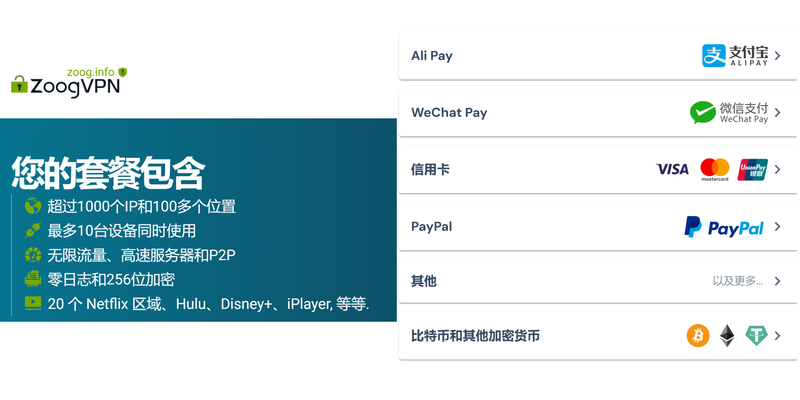
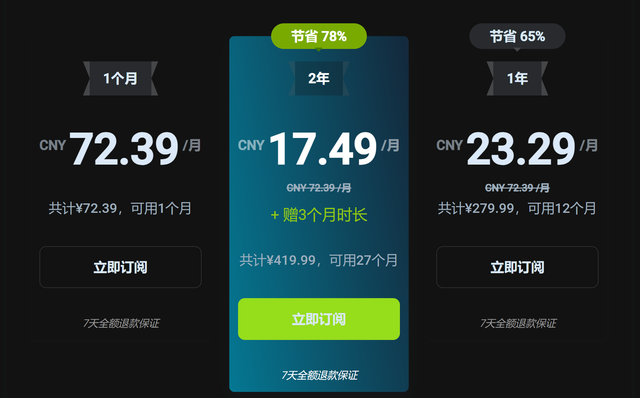
 ZoogVPN | Turn on manually Shadow | $2.49/mo | 27 months: $59.99 | Yes | 7 days | ✓ | ✓ | ✓ | ✓ | Official site blocked; our special link opens (4.4 s) | 4.2/5 (195 reviews) |
 Astrill VPN | Turn on manually StealthVPN / OpenWeb | $12.50/mo | 24 months: $300 | No | See site | ✗ | ✗ | ✗ | ✓ | ✗ Blocked | 1.3/5 (110 reviews) |
 Private Internet Access | Turn on manually Shadowsocks, OpenVPN only | $2.03/mo | 40 months: $81.2 | No | 30 days | ✗ | ✗ | ✗ | ✗ | ✗ Blocked | 4.2/5 (11,033 reviews) |
 CyberGhost | Turn on manually selected servers | $2.19/mo | 28 months: $61.32 | No | 45 days | ✗ | ✗ | ✗ | ✓ | ✗ Blocked | 4.0/5 (24,178 reviews) |
 PureVPN | Turn on manually switch to OpenVPN | $1.69/mo | 60 months: $101.55 | No | 31 days | ? | ? | ✗ | ✓ | ✗ Blocked | 4.4/5 (17,994 reviews) |
 AdGuard VPN | ✓ On by default TrustTunnel | $2.99/mo | 24 months: $71.76 | Yes | 30 days | ✓ | ✗ | ✓ | ✓ | Official site blocked; our special link opens (3.7 s) | 4.3/5 (290 reviews) |
 Mullvad | Turn on manually QUIC / Shadowsocks / LWO | $5.61/mo | €5/mo | No | 14 days | ✗ | ✗ | ✗ | ✓ | ✗ Blocked | 3.2/5 (192 reviews) |
 Windscribe | Turn on manually Stealth / WStunnel | $5.75/mo | 12 months: $69 | Yes | See site | ✗ | ✗ | ✗ | ✓ | ✗ Blocked | 4.7/5 (13,355 reviews) |
 StrongVPN | Turn on manually Scramble, OpenVPN TCP | See site | See site | No | 30 days | ✓ | ✗ | ✗ | ✗ | ✗ Blocked | 4.4/5 (2,695 reviews) |
 LightXtreme 闪连 | Not listed | $7.08/mo | 12 months: $84.99 | Yes | 30 days | ✓ | ✓ | ✓ | ✓ | ✓ Yes (3.5 s) | No page |
Prices checked 2026-11-10 on each vendor's pricing page (cheapest long plan, USD). Check the vendor's checkout for the final price.
Obfuscation checked 2026-11-14 on each vendor's site and help center: "on by default" = nothing to set; "turn on manually" = switch protocol or mode in settings; "not listed" = the vendor describes no obfuscation.
Payment methods checked 2026-11-10 on each vendor's payment pages: all 14 take cards and PayPal; ✗ = not listed, ? = the vendor's own pages disagree.
China access: whether the official website opens from mainland China networks (tests the website only, not the VPN connection). Last checked 2026-11-18 01:02 Beijing time.
Trustpilot score and review count checked 2026-11-10.
Frequently Asked Questions
What is NordenVPN’s role in China for 2026?
NordVPN aims to provide reliable access through obfuscated servers and stealth features, but effectiveness can vary by location and time.
Do I need a Chinese SIM card to use NordVPN there?
No, VPNs don’t require a local SIM card. You’ll use internet over Wi-Fi or mobile data, depending on your device and plan.
Can NordVPN be detected by the Great Firewall?
The goal of obfuscation is to hide VPN traffic, but no tool is 100% foolproof. Always have a backup plan and stay informed about updates.
Is obfuscation mandatory in China?
Not always, but it greatly improves the chances of bypassing DPI systems. If you encounter blocks, switch to obfuscated servers.
Which NordVPN protocol is best for China?
WireGuard-based protocols with obfuscation are typically best for speed and reliability, but OpenVPN with obfuscation remains a solid fallback. Nordvpn servers in Canada your ultimate guide for 2026: Optimized VPN Performance, Privacy, and Canada-Specific Tips
How do I verify my VPN is working?
Use IP check tools and DNS leak tests. Ensure your real IP is hidden and DNS requests aren’t leaking.
Will NordVPN affect my device’s battery life?
Using a VPN always consumes more battery than normal browsing, especially on mobile devices. Expect shorter battery life during heavy VPN use.
Can I use NordVPN on multiple devices?
Yes, NordVPN supports multiple simultaneous connections; the exact number depends on your plan.
Are there legal risks to using a VPN in China?
Regulations vary. Some VPNs are restricted or monitored. Always stay informed about local laws and equipment usage.
What should I do if NordVPN is blocked in a location?
Switch to a different obfuscated server, try a nearby country, or consider a backup VPN with similar obfuscation features. Your complete guide to reinstalling nordvpn on any device